Archive for the 'Computer Vision' Category

Thoughts on the Lytro Light Field Camera

Lytro recently made its namesake light field camera available for preordering. The light field camera reaches closer to the plenoptic function than a standard camera in that instead of only summing the photons to arrive at chromacity and luminosity at each pixel, it additionally determines directional information. It does so by placing an array of microlenses above the sensor, each of which represents a light field pixel and covers a region of sensor pixels. Each sensor pixel then captures a ray arriving at a specific direction at its parent microlens. Ren Ng’s thesis is full of fascinating uses for this, but it seems Lytro is primarily focusing on the ability to refocus the light field image.

There is very little information available about the format the camera is capturing the light field in, but I suspect that it will not be impossible to use the files for other purposes like viewing parallax and perspective changes on a single capture. So far, the information we have is that the 8 gigabyte model can store 350 images, the sensor can capture 11 megarays, and the examples in the online gallery have resolutions of 831×831 to 1080×1080. Since the sensor in a light field camera captures one ray per pixel, we can assume the physical sensor is 11 megapixels. Conveniently, 350 11 megapixel images of 2 bytes per pixel add up to roughly 8 gigabytes. This suggests the format may be either a raw 16 bit Bayer array off of the sensor or a processed and packed RGB array. As for the microlens array, I suspect that it is a roughly 831×831 grid of hexagonal lenses, each of which cover a roughly 16 square pixel area, for a total sensor resolution of 3324×3324 pixels. We probably won’t know for sure until the cameras ship in early 2012.

In the meantime, we do have some sample images to play with, but not in the format captured by the camera. The Lytro desktop app apparently exports compressed representations of the light field to reduce file sizes and rendering requirements for web display. The .lfp files are simply a set of JPEGs representing the unique visually interesting sections of the light field. That is, a set in which each image shows a different area in focus. It appears to do so dynamically, picking the minimum number of images necessary to show all focusable objects in narrow depths of field. These images are stored along with their estimated depths and a depth lookup table for the image. This allows for HTML5 and Flash applications like the one embedded above in which the user clicks on a region of the image, the value of that region is looked up, and the depth image closest to that value is displayed.

To allow for viewing the files offline and to satisfy my curiosity, I wrote a tool called lfpsplitter that reads in an .lfp and writes out its component images as .jpg files and the depth lookup table and image metadata as plain text files. It is available on github, along with a README describing the file format in detail. Until we have Lytro cameras and .lfp files of our own to play with, you can find example files by examining the html source of Lytro’s gallery page.

Update: Given the animated parallax shift image of Walt Mossberg on the Lytro blog, it seems that each microlens covers an area 5 pixels across horizontally. Perhaps the sensor is 4096×4096 and 11 megarays describes the number of pixels getting useful photons, or the microlenses are arranged in a honeycomb pattern with a maximum width of 5px.

Maker Ant Farm: Minecraft Skin Generation with a Kinect

Since my seemingly fragile 3D printer had never left my desk before and even in prime condition could only print an object every 10 minutes or so, I decided that I needed a backup project for the Bay Area Maker Faire last month.  I conscripted Will to help me out on a purely software Kinect based project.  After downscoping our ideas several times as the Faire weekend approached, we eventually settled on generating Minecraft player skins of visitors.  The printer ended up working fine (and more reliably than the software only project), but the Minecraft “Maker Ant Farm” was more of a crowd pleaser.

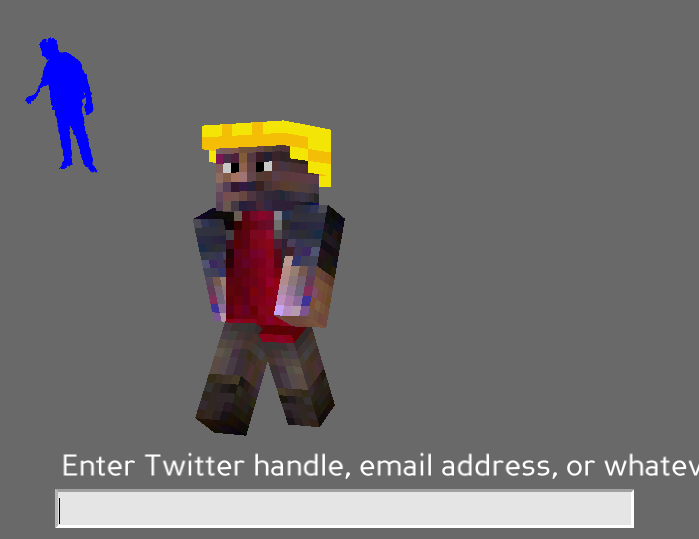
A visitor would stand in front of the Kinect and enter fieldgoal/psi calibration pose.  We used OpenNI and NITE to find their pose and segment them out of the background for a preview display.  Using OpenCV, we mapped body parts to the corresponding sections of the Minecraft skin texture.  Since we could only see the fronts and parts of the sides of a person, we just made up what the back would look like based on the front.  This was of course imprecise and resulted heads that often looked like they had massive bald spots.  Rather than trying to write some kind of intelligent texture fill algorithm on a short schedule, we just gave all of the skins yellow hard hats (not blonde hair, contrary to popular opinion).  After generating the skin, we loaded it back onto ShnitzelKiller’s player rig in Panda3D.  I had planned on writing full skeletal tracking for the rig, but ran out of time and settled on just having it follow the position and rotation of the user and perform an animated walk.  After walking around a bit watching a low res version of him or herself, the user could enter in a Twitter handle or email address to keep the skin.  The blocky doppelgänger was then dropped onto a Minecraft server instance we had running as a bot that did simple things like walk around in circles or drown.

Minecraft Skin

Despite some crashiness in NITE and the extremely short timeframe we wrote the project in, it ended up working reasonably well.  Thanks to the low resolution style and implied insistence on imagination in Minecraft, the players avoid looking like the ghastly zombies in Kinect Me.  You can see examples of some of the generated skins on @MakerAntFarm.  I hate not releasing code, but I almost hate releasing this code more.  It is very likely to be the worst I have ever hacked together, and I can’t help but suspect it will be held against me at some point.  Nonetheless, for the greater good, it’s up on github.  There are vague instructions on how one might use it in the README.  Good luck, and I’m sorry.

Gestural Printing: Jumping the Shark on Kinect Hacks

We’ve seen a seemingly endless array of amazing Kinect hacks over the last few months, from superhero generators to obstacle avoiding quadcopters.  However, it was only a matter of time before someone came up with a hack so inane and irrelevant that it would bring shame to the entire hobby.  That time is now, and that someone is me.  I bring to you, gestural 3D printing!  Using the Kinect to track your hand, you can draw one layer at a time, with the printer following your every move.  Pushing forward extrudes plastic, while pulling your hand back will start a new layer.  Who needs difficult and confusing CAD software when you can just directly draw the object you want to print?

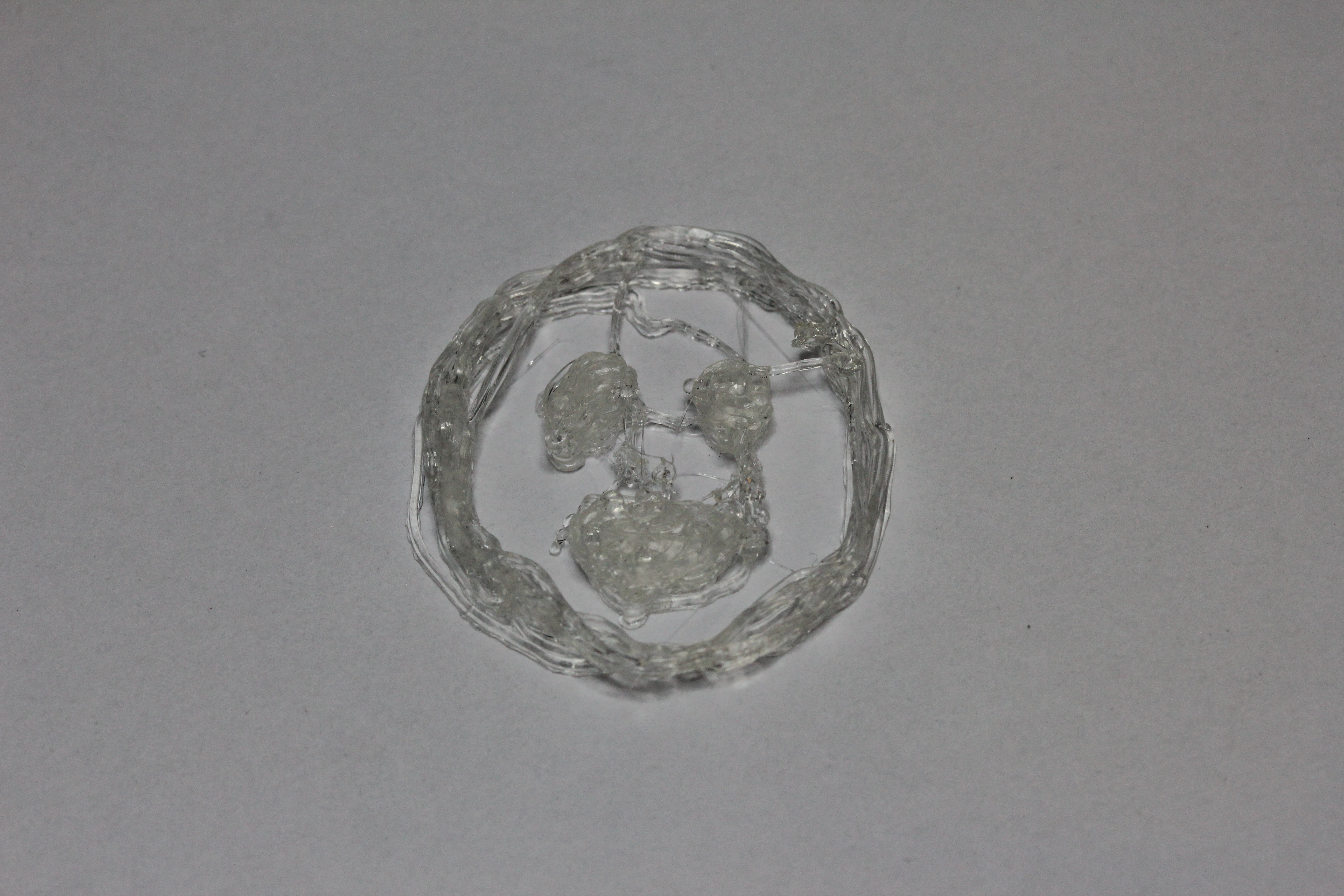
Really though, you can only get through 4 or 5 layers before your arm feels like it’s going to fall off, and the resulting object will look like a stringy blob of plastic vomit.  The source is in the FaceCube GitHub repository.  I don’t recommend actually using it, but if for some reason you want to, the dependencies are mindbogglingly complex.  You’ll need to install OpenNI and NITE to start with; this guide at Keyboardmods is helpful.  You’ll also need my branch of OSCeleton, which improves on hand tracking.  With the Kinect hooked up, you can run ./osceleton -n -f to start hand tracking in an Open Sound Control server.  You can then run the gestureprinter.py script, which requires pyOSC, pygame, and the RepRapArduinoSerialSender script from Skeinforge, which is also in the FaceCube repository.  Of course, you’ll also need both a Kinect and a 3D printer that is compatible with the Gcode that RepRap firmwares use.  The script is set up for my printer specifically, but it should be straightforward to tweak for others if you dare.

Gestural Print

Augmenting Reality with Reality

I combined voxel carving and augmented reality to insert 3d reconstructions of real life objects into real life scenes for a final project for 15-463, Computational Photography.  There is a more detailed writeup here.  It looks kind of bleh at the moment, and it involves a lot of hacked together libraries.  I really like the idea of it though, so this is something I’m planning on revisiting when I have more skill in the third dimension.

Face Morphing from Obama to McCain

This was for an assignment for Computational Photography, a course I’m taking this semester.  As such, I can’t in good faith upload the MATLAB source.  Some day, I might write a face morphing library in C or Python though.

There is no great social or political message here.  I just thought it would look cool.  Both of the images are from Wikipedia.

On the technical side of things, matching points are manually picked on both images.  They are then formed into triangles using a Delaunay function.  The matching triangles are then morphed using an affine transform by the fundamental matrix that matches the three specified pairs of points.  A different amount of “morph” is applied to each of the 61 frames in this.  It all comes together to look surprisingly smooth.