After grabbing a couple of Microvision SHOWWX laser picoprojectors when they went up on Woot a few months back, I started looking for ways to use them. Microvision started out of a project at the University of Washington HITLab in 1994 to develop laser based virtual retinal displays. That is, a display that projects an image directly onto the user’s retina. This allows for a potentially very compact see through display that is only visible by the user. The system they developed reflected lasers off of a mechanical resonant scanner to deflect them vertically and horizontally, placing pixels at the right locations to form an image. The lasers were modulated to vary the brightness of the pixels. The SHOWWX is essentially this setup after 15 years of development to make it inexpensive and miniaturize it to pocket size. The rest of the retinal display system was a set of optics designed to reduce the scanned image down to a point at the user’s pupil. I thought I would try to shrink and cheapen that part of it as well.
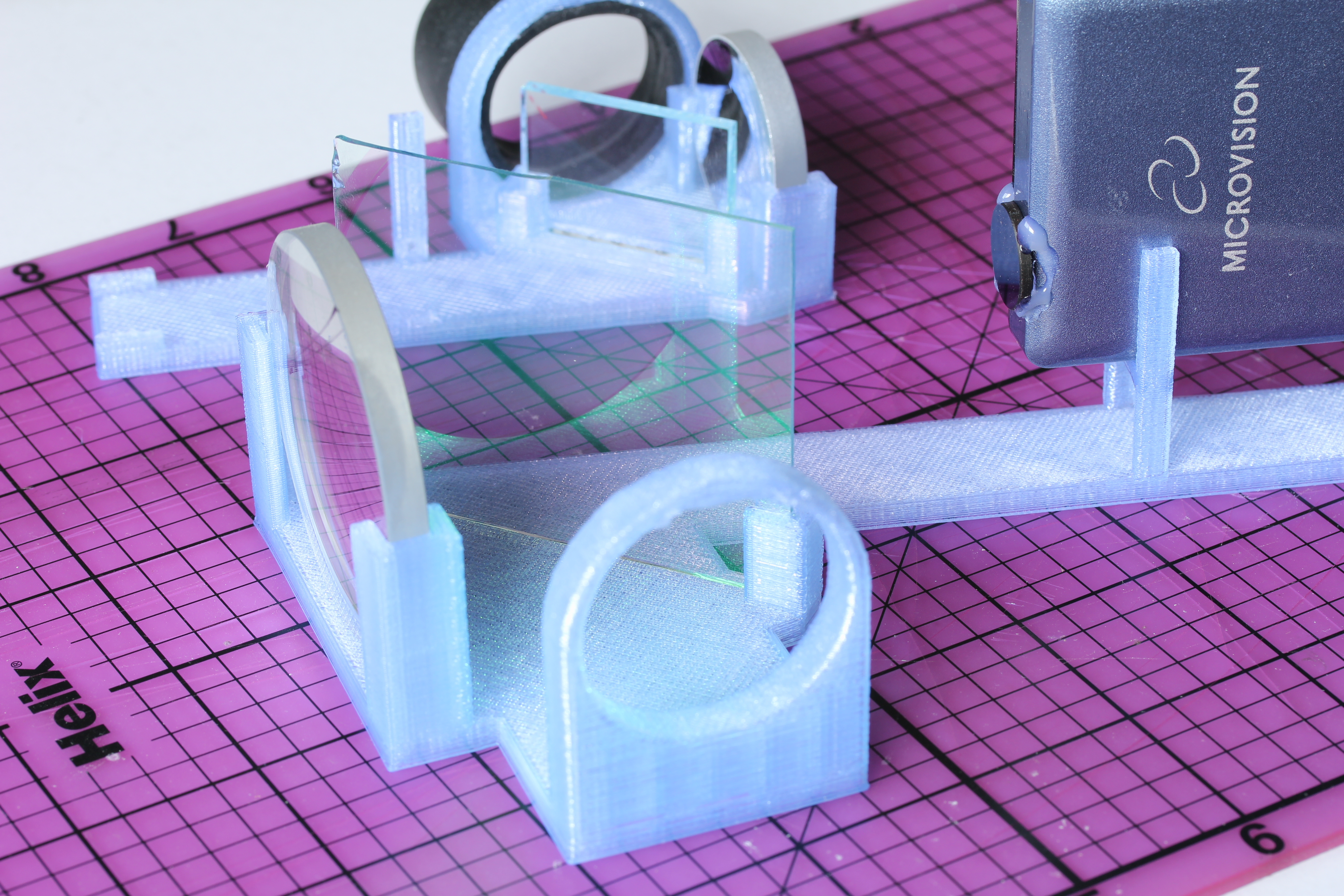
The setup I built is basically what Michael Tidwell describes in his Virtual Retinal Displays thesis. The projected image passes through a beamsplitter where some of the light is reflected away, reflects off of a spherical concave mirror to reduce back down to a point, and hits the other side of the beamsplitter, where some of the light passes through and the rest is reflected to the user’s pupil along with light passing through the splitter from the outside world. For the sake of cost savings, all of my mirrors are from the bargain bin of Anchor Optics. The key to the project is picking the right size and focal length of the spherical mirror. The larger setup in the picture below uses a 57mm focal length mirror, which results in a fairly large rig with the laser scanner sitting at twice the focal length (the center of curvature) away from the mirror. The smaller setup has a focal length around 27mm, which results in an image that is too close to focus on unless I take my contact lenses out. The mirror also has to be large enough to cover most of the projected image, which means the radius should be at least ~0.4x the focal length for the 24.3° height and at most ~0.8x for the 43.2° width coming from a SHOWWX. Note that this also puts the field of view of the virtual image entering the eye somewhere between a 24.3° diameter circle and a 24.3° by 43.2° rounded rectangle.
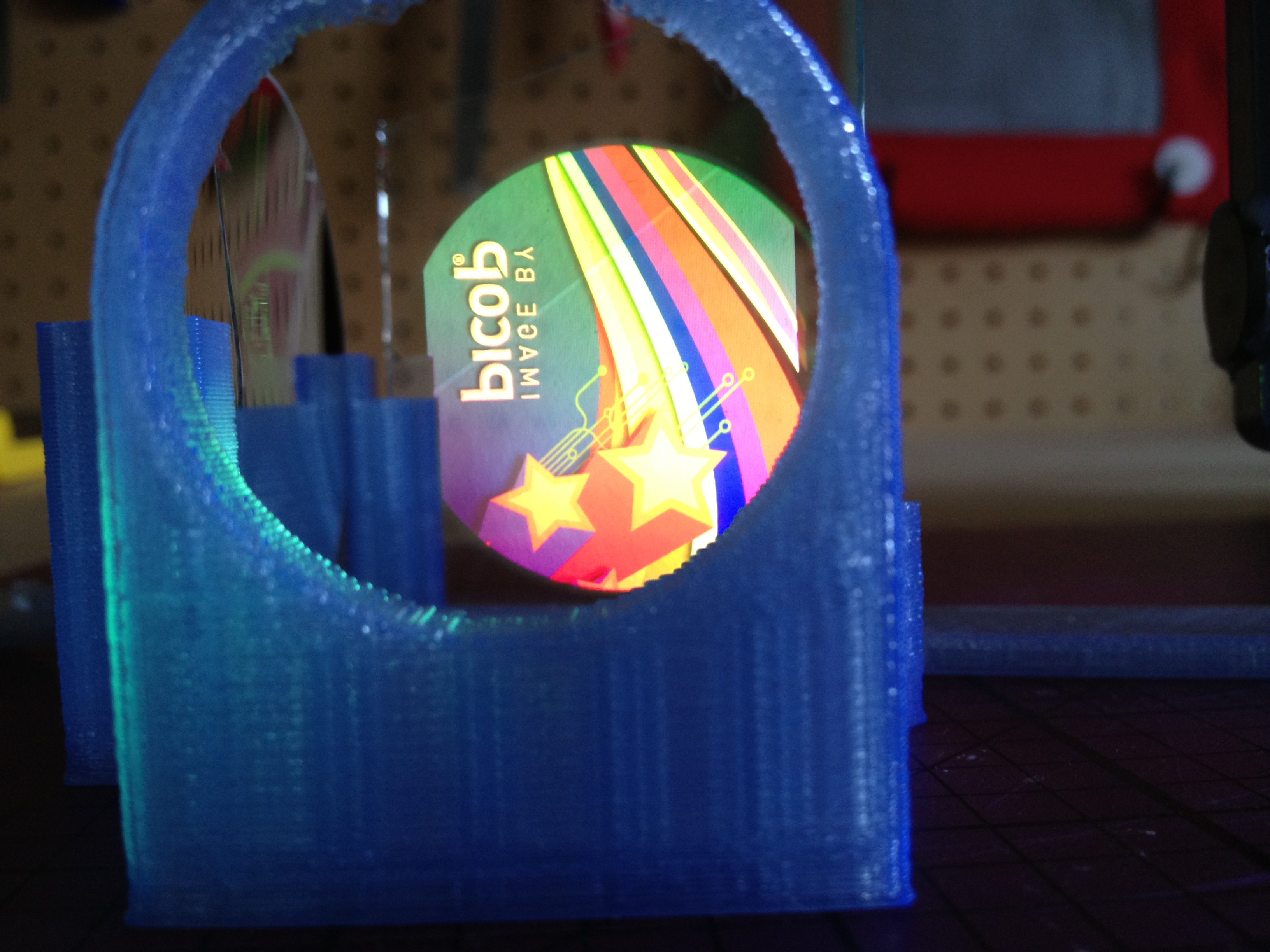
Aside from my inability to find properly shaped mirrors, the big weakness of this rig is the size of the exit pupil. The exit pupil is basically the useful size of the image leaving the system. In this case, it is the width of the point that hits the user’s pupil. If the point is too small, eye movement will cause eye pupil to miss the image entirely. Because the projector is at the center of curvature of the mirror (see the optical invariant), the exit pupil is the same the width as the laser beams coming out of the projector: around 1.5 mm wide. This makes it completely impractical to use head mounted or really, any other way. I paused work on this project a few months ago with the intention of coming back to it when I could think of a way around this. With usable see through consumer head mounted displays just around the bend though, I figured it was time to abandon the project and publish the mistakes I’ve made in case it helps anyone else.
If you do want to build something like this, keep in mind that the title of this post is only half joking. I don’t normally use bold, but this is extra important: If you don’t significantly reduce the intensity of light coming from the projector, you will damage your eyes, possibly permanently. The HITLab system had a maximum laser power output of around 2 μW. The SHOWWX has a maximum of 200mW, which is 100,000x as much! Some folks at the HITLab published a paper on retinal display safety and determined that the maximum permissible exposure from a long term laser display source is around 150 μW, so I needed to reduce the power by at least 10,000x to have a reasonable safety margin. As you can see in the picture above, I glued a ND1024 neutral density filter over the exit of the projector, which reduces the output to 0.1%. Additionally, the beamsplitter I picked reflects away 10% of the light after it exits the projector, and 90% of what bounces off of the concave mirror. Between the ND filter, the beamsplitter, and setting the projector to its lowest brightness setting, the system should be safe to use. The STL file and a fairly ugly parametric OpenSCAD file for the 3D printed rig to hold it all together are below.