There’s now a little icon on the bottom of this page proclaiming that everything on this site that I hold copyright on is licensed Creative Commons Attribution-Share Alike 3.0. That is, everything that does not state its own license; some source code may be licensed GPLv2 or GPLv3.
Paint with Color Based Object Tracking on the OLPC XO
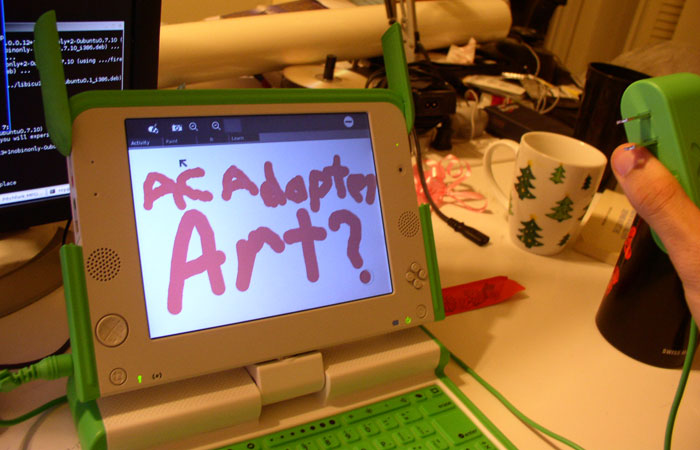
It took a lot of pain, but I got color based object tracking working for Wade Brainerd‘s Colors! Activity, which he ported from Colors! for Nintendo DS by Jens Andersson. The tracking for what I have right now is calibrated to use the XO’s AC adapter. It’s a bright, uniform, unique color, and it’s something that every XO owner has. It’s pretty nifty watching the brush follow the camera around, but the real magic happens with you enable “Pressure Sensitivity” in the palette menu of Colors! The brush will actually change size and opacity based on how far you hold the charger from the camera. It works better than I could have ever expected, and this is just the start. The next step I’m planning is to let the user pick any real life object they want and use it as a brush, with the color of the object being the color of the brush on screen.
Reddi-wip is appropriate for non-government sanctioned holidays

Do companies actually think about what they put on their product packaging? Inquiring minds want to know. Google only gave me a few fellow confused bloggers, so I resorted to the source, the Reddi-wip hotline. Apparently Reddi-wip is a more difficult product than one would expect, as it took about 15 minutes to get through the calling queue. The customer service representative seemed amused by my question and disappeared for a few minutes to find the answer. The response, which sounded a whole lot like she made it up on the spot, was that the cryptic message is a reminder to customers that they can purchase Reddi-wip on days that are not national holidays. Crisis averted…
A Dirty Hack for OpenCV on the OLPC XO
OpenCV has issues using the camera on the XO, rising from the way it negotiates color palette settings with the OV7670 v4l2 driver. I haven’t delved deep enough into v4l2 yet to come up with a proper fix for either the driver or OpenCV. However, I have a temporary fix that (probably) works fine but is very ugly.
The easy and dirty solution is to install the opencv, opencv-devel, and opencv-python packages with yum, to download the libhighgui.so.1.0.0 that I compiled, and to copy it to /usr/lib/libhighgui.so.1.0.0. In short:
sudo yum install opencv opencv-devel opencv-python
sudo wget https://eclecti.cc/files/2008/03/libhighguiso100 -O /usr/lib/libhighgui.so.1.0.0
Continue for details on the problem and the actual temporary fix that I did
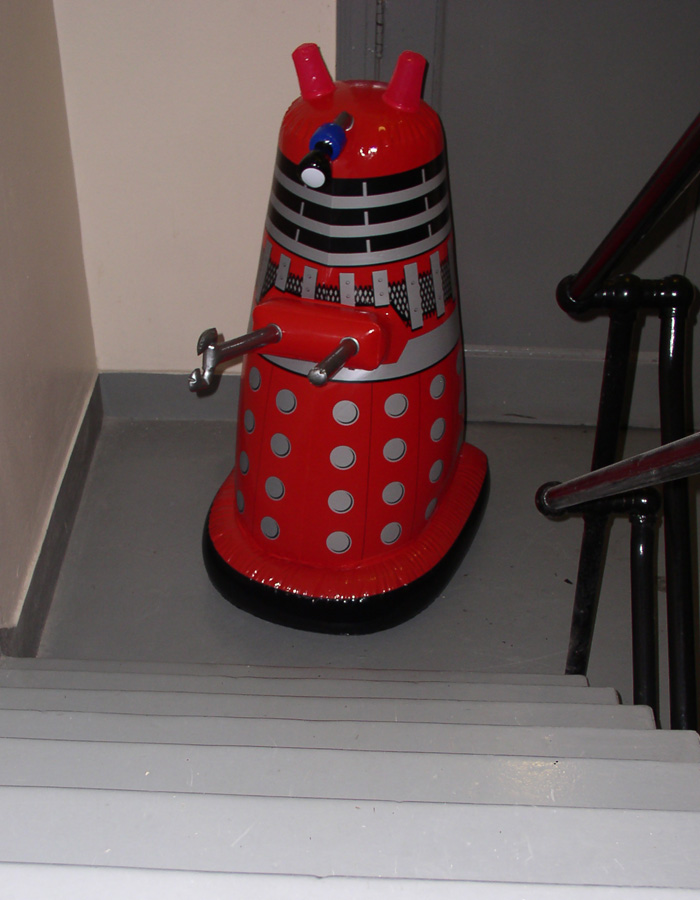
HOWTO: Avoid Extermination
Face Detection on the OLPC XO
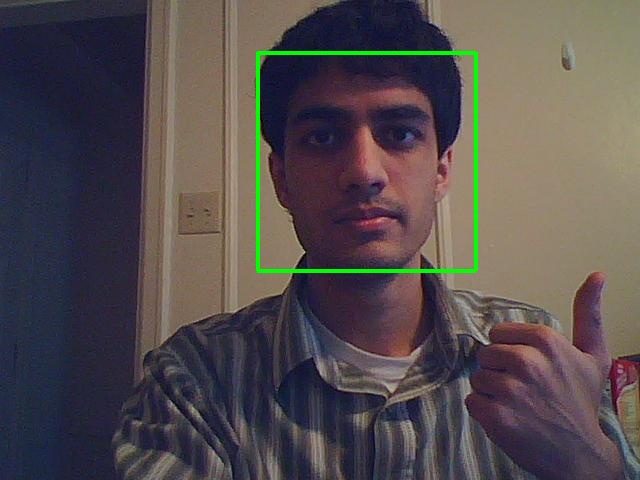
Ok, here is some working code for face detection using the XO’s webcam. It requires the opencv, opencv-python, and xawtv packages. Xawtv can be skipped if you change it to use gstreamer instead, but gstreamer takes around 3 seconds to initialize the camera, take a picture, and save it. Xawtv, on the other hand, takes about a half second. The face detection algorithm, from OpenCV itself takes anywhere from 0.1 seconds to 3 seconds depending on what parameters you choose. I chose ones that seem to work almost all of the time and take about 0.25 seconds.
Object detection is pretty fascinating stuff, and well beyond the scope of this blog post, so I’ll just refer you to this pdf. By training and customizing Haar files, one could detect an endless possibility of objects. Gesture detection and sign language to tex tare two of the more interesting possibilities. If I can find image databases, I might try training a Haar filter for hand detection.
This is basically just proof of concept code attached. I’m going to try a v4l2 python library and package something up as a usable XO activity this weekend. To run this, just put both of the files below in the same directory and run “python face.py”. Assuming you’re on an XO and you have opencv, opencv-python, and xawtv installed, it should pause for a second while the camera turns on and captures a picture, and then display an image with any faces enclosed by green rectangles. It works best if most of your head is within the image frame and there is a decent amount of light.
Face Detection using OpenCV on an OLPC XO
I’m working on face detection and tracking using the webcam on the XO. Expect code and pictures soon.
What eclecticc is
Hello all (though I’m being a bit optimistic with the word all),
I’m Nirav Patel, a rabble rouser, robot herder, meatsmith, moonshiner, psuedocryptozoologist, and all around eclecticc individual. I’m also a Junior in Electrical and Computer Engineering at Carnegie Mellon University. This web log, or blog as it may be known, is documentation of the ideas I have and projects I undertake to provide warning to others of what not to do with their lives.
Bye Bye Hardy
Reformatting and reinstalling Hardy on the T61 due to a bad libc6 upgrade. This is made that much more fun by my lack of a CD drive.
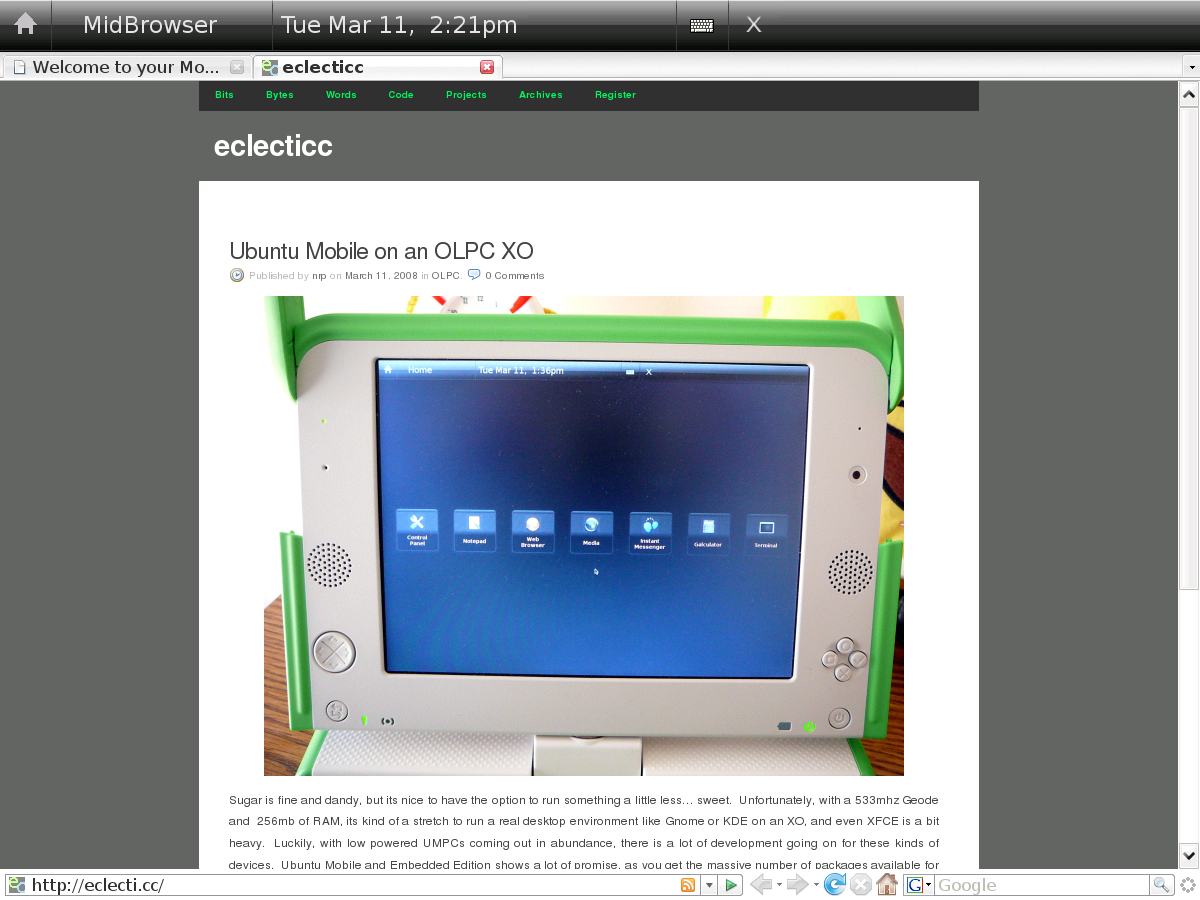
Ubuntu Mobile on an OLPC XO
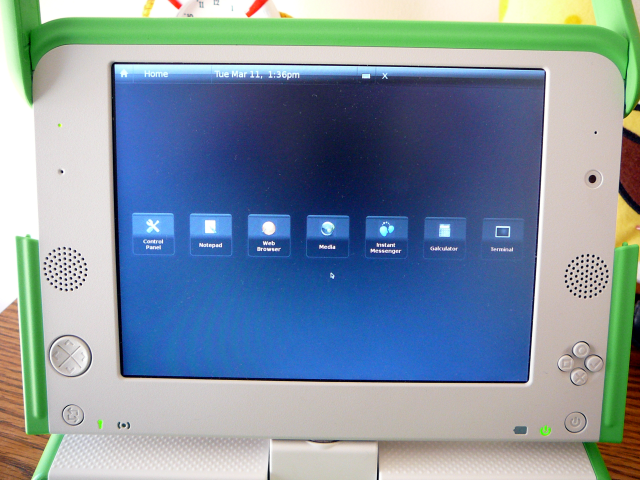
Sugar is fine and dandy, but its nice to have the option to run something a little less… sweet. Unfortunately, with a 433mhz Geode and 256mb of RAM, its kind of a stretch to run a real desktop environment like Gnome or KDE on an XO, and even XFCE is a bit heavy. Luckily, with low powered UMPCs coming out in abundance, there is a lot of development going on for these kinds of devices. Ubuntu Mobile and Embedded Edition shows a lot of promise, as you get the massive number of packages available for Ubuntu in a distro designed for low power and small screens. So, this is a guide on installing and running Ubuntu Mobile on an SD card on an OLPC XO. Ubuntu Mobile is still very much alpha software and is designed for touchscreens, but it’s generally usable and quite speedy.
This guide is based largely on the following sources. It could be useful to check them if something here doesn’t work:
Requirements:
- OLPC XO
- 1+GB (2 GB or more is much better) SD card or USB thumbdrive
- SD card reader if you’re using an SD, which this guide assumes
- A linux box (besides the XO). This guide assumes Ubuntu 8.04
First, download and install what you need to install Ubuntu on an SD. We’ll be using Qemu and a Hardy Heron netboot image.
sudo apt-get install qemu qemu-launcher qemuctl
wget http://archive.ubuntu.com/ubuntu/dists/hardy/main/installer-i386/current/images/netboot/mini.iso
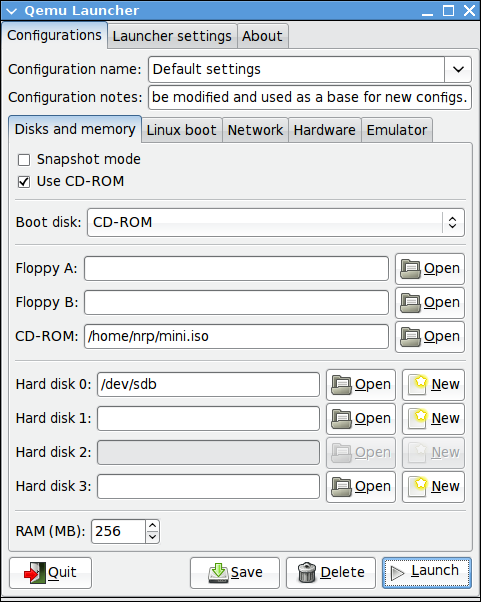
Run qemu-launcher. Check “Use CD-ROM,” set Boot Disk to CD-ROM, and in the CD-ROM field open the path to the mini.iso you downloaded earlier. Set Hard disk 0 to the location of your SD card or thumbdrive, which will be something like /dev/sdb or /dev/sdc. If you aren’t sure, after inserting the card or drive, open a terminal and run dmesg. The last few lines will mention some sd* and that’s what you want to use. If it automounted, unmount it before going on. The last thing on this tab of qemu-launcher is to set RAM to 256mb.
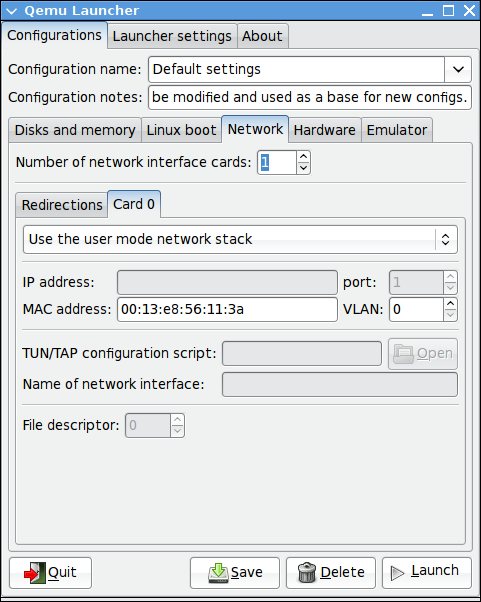
In the Networking tab, set Number of networking interface cards to 1, and in Card 0, choose Use the user mode network stack, and set MAC address to the address of the card currently connected. To get it, open a terminal and run ifconfig; the 12 digit hexadecimal number after HWaddr is what you want to copy and paste in.
You can then hit the launch button. You want to type cli at the boot prompt, hit enter, and then just follow the usual instructions on installing Ubuntu. The actual install part is probably going to take a while, so you may want to bake a cake.
When the install is done and it reboots, close the Qemu window. In Qemu Launcher, switch Boot disk to Hard disk 0 and uncheck Use CD-ROM. Then hit launch again, wait for it to finish booting, and log in with the user/pass you created during the install.
You’re going to want accelerated video, so add the following two lines to the end of /etc/apt/sources.list with your favorite text editor and then do a sudo apt-get update.
deb http://layer-acht.org/debian etch olpc xorg
deb-src http://layer-acht.org/debian etch olpc xorg
You need to install sysvinit, video drivers, and ubuntu-mobile. I find it easier to work with GDM than manually messing with xinit, so I install that too. If you have the space, you’ll probably also want to install XFCE, since Ubuntu Mobile is somewhat incomplete for now.
sudo apt-get install sysvinit gdm xserver-xorg-video-amd ubuntu-mobile xfonts-base
You then need an xorg.conf that works for the XO. I modified one from Free Like GNU to use 120 dpi to have more reasonable font sizes.
sudo cp /etc/X11/xorg.conf /etc/X11/xorg.conf.bak
sudo wget https://eclecti.cc/files/2008/03/xorg.conf -O /etc/X11/xorg.conf
To add Hildon, the Ubuntu Mobile desktop, to GDM, edit /usr/bin/start-hildon and comment out the line “export DISPLAY=:1”. Then download the xsession file.
sudo wget https://eclecti.cc/files/2008/03/hildon.desktop -O /usr/share/xsessions/hildon.desktop
You’re done with qemu, so you can close that window and pop out the SD card or thumbdrive. The XO expects the boot partition to be named OLPCRoot though, so you need to plug the thing back in. Ubuntu will detect the partitions and automount, so you’ll want to unmount it and then run the following command, replacing sdb1 with whatever you were using before with a 1 on the end of it.
sudo tune2fs /dev/sdb1 -L OLPCRoot
Then, power on your XO to boot into regular Sugar, and put the SD card into the XO. Then open up Terminal and become root. This could mean typing “su”, “sudo su”, or clicking on the become root icon, depending on your OS version. Then execute the following commands.
cp -ra /boot /media/OLPCRoot/
cp -ra /lib/modules /media/OLPCRoot/lib/
cp -ra /lib/firmware /media/OLPCRoot/lib/
cp -ra /security /media/OLPCRoot/
cp -ra /etc/modprobe.d /media/OLPCRoot/etc/modprobe.d
cp -ra /etc/fstab /media/OLPCRoot/etc/fstab
sudo wget https://eclecti.cc/files/2008/03/olpcsd.fth -O /media/OLPCRoot/boot/olpc.fth
One last thing that I like to do is disable tap to click on the touchpad, since its pretty sensitive. These instructions are from the OLPC News forums. Add the following line to the end of /media/OLPCRoot/etc/modprobe.d/modprobe.d/olpc.conf.dist
options mousedev tap_time=0
Leave the SD card in and reboot. The XO should boot straight into Ubuntu and start GDM. When the login screen comes up, go to Options, and Select Session. Choose Hildon, hit ok, and log in. Enjoy!